Guest viewing is limited
- You have a limited number of page views remaining
- 5 guest views remaining
- Register now to remove this limitation
- Already a member? Click here to login


You are using an out of date browser. It may not display this or other websites correctly.
You should upgrade or use an alternative browser.
You should upgrade or use an alternative browser.
[TUTORIAL] Install Windows on Online.net Dedibox SC/XC Personal Range with QEMU
- Thread starter myrlse
- Start date



- Status
- Not open for further replies.
Hey, I have the same issue, Does anyone know how to solve this?sorry for the double post ! i did the instalation and i got only 2GB ram ... i have 32why?
It's probably due to the "-m 2048M" in step 10, but I don't know if there's a way to extend it after installation
Also, in the server used here, he has 1 HDD only, so the command
dd if=/dev/zero of=/dev/sda bs=1M count=1
probably works for one drive, do I need to modify it so that it wipes both drives?
Hi,
Thanks for this tutorial.
I'm trying to install windows on a scaleway Start-2-S-SATA dedibox with 4GB of RAM and 1TB and I get this error when trying to execute qemu with the windows iso:
This is the command I type:
/tmp/qemu-system-x86_64 -net nic -net user,hostfwd=tcp::3389-:3389 -m 2048M -localtime -enable-kvm -cpu host,+nx -M pc -smp 2 -vga std -usbdevice tablet -k en-us -cdrom /mnt/18363.418.191007-0143.19h2_release_svc_refresh_CLIENTENTERPRISEEVAL_OEMRET_x64FRE_en-us.iso -hda /dev/sda -boot once=d -vnc :1
And this is the error I get:
qemu-system-x86_64: cannot set up guest memory 'pc.ram': Cannot allocate memory
I guess it is due to a lack of memory, Your server had 16GB of RAM and mine has 4GB so I think it is not possible to load qemu with the 5GB ISO. Now the memory is:
root@------------~# grep "^Mem" /proc/meminfo
MemTotal: 4042124 kB
MemFree: 115544 kB
MemAvailable: 37252 kB
Any workaround to solve this or is it definetely impossible to get windows installed on my server?
Muchas gracias por tu ayuda.
Thanks for this tutorial.
I'm trying to install windows on a scaleway Start-2-S-SATA dedibox with 4GB of RAM and 1TB and I get this error when trying to execute qemu with the windows iso:
This is the command I type:
/tmp/qemu-system-x86_64 -net nic -net user,hostfwd=tcp::3389-:3389 -m 2048M -localtime -enable-kvm -cpu host,+nx -M pc -smp 2 -vga std -usbdevice tablet -k en-us -cdrom /mnt/18363.418.191007-0143.19h2_release_svc_refresh_CLIENTENTERPRISEEVAL_OEMRET_x64FRE_en-us.iso -hda /dev/sda -boot once=d -vnc :1
And this is the error I get:
qemu-system-x86_64: cannot set up guest memory 'pc.ram': Cannot allocate memory
I guess it is due to a lack of memory, Your server had 16GB of RAM and mine has 4GB so I think it is not possible to load qemu with the 5GB ISO. Now the memory is:
root@------------~# grep "^Mem" /proc/meminfo
MemTotal: 4042124 kB
MemFree: 115544 kB
MemAvailable: 37252 kB
Any workaround to solve this or is it definetely impossible to get windows installed on my server?
Muchas gracias por tu ayuda.
Hello,
Thank you for this tutorial which was a great help however after testing several times there is a variant of your tutorial even simpler and it also works on servers dedicated to Oneprovider allow me to take your tutorial to make another this time specifying that this tutorial applies to Oneprovider and with a variant of your method?
Of course I will mention you.
Thanks in advance
Thank you for this tutorial which was a great help however after testing several times there is a variant of your tutorial even simpler and it also works on servers dedicated to Oneprovider allow me to take your tutorial to make another this time specifying that this tutorial applies to Oneprovider and with a variant of your method?
Of course I will mention you.
Thanks in advance


url not work
hxxps[]ia601503[DOT]us[DOT]archive[DOT]org/12/items/vkvm[DOT]tar/vkvm[DOT]tar[DOT]gz
please update for this work
hxxps[]archive[DOT]org/12/items/vkvm[DOT]tar/vkvm[DOT]tar[DOT]gz
or
hxxps[]archive[DOT]org/download/vkvm[DOT]tar_201903/vkvm[DOT]tar[DOT]gz
for work please update link to your tutorial
hxxps[]ia601503[DOT]us[DOT]archive[DOT]org/12/items/vkvm[DOT]tar/vkvm[DOT]tar[DOT]gz
please update for this work
hxxps[]archive[DOT]org/12/items/vkvm[DOT]tar/vkvm[DOT]tar[DOT]gz
or
hxxps[]archive[DOT]org/download/vkvm[DOT]tar_201903/vkvm[DOT]tar[DOT]gz
for work please update link to your tutorial

Still works in 2022, new installation of Windows server 2022, same server configuration but from OneProvider.
- Make a clean install of Ubuntu 18.04
- You can perform the following steps in normal mode or in rescue mode (boot server with a UBUNTU RESCUE IMAGE)
- Once install is finished open Putty and login with your Ubuntu credential
Grant Root Privileges on Ubuntu
Code:
sudo -iWipe Disk (You need a server with 8GB of RAM)
Code:
dd if=/dev/zero of=/dev/sda bs=1M count=1
Code:
mount -t tmpfs -o size=8000m tmpfs /mntThis time I used an image of Windows Server 2022 ISO - LINK
Code:
wget -P /mnt ISODIRECTLINKExample
Code:
wget -P /mnt https://software-static.download.prss.microsoft.com/sg/download/888969d5-f34g-4e03-ac9d-1f9786c66749/SERVER_EVAL_x64FRE_en-us.isoInstall QEMU
Code:
wget -qO- /tmp https://ia601503.us.archive.org/12/items/vkvm.tar/vkvm.tar.gz | tar xvz -C /tmpLaunch QEMU (replace "NAMEOFYOURISO" with the name of download ISO)
Code:
/tmp/qemu-system-x86_64 -net nic -net user,hostfwd=tcp::3389-:3389 -m 2048M -localtime -enable-kvm -cpu host,+nx -M pc -smp 2 -vga std -usbdevice tablet -k en-us -cdrom /mnt/NAMEOFYOURISO -hda /dev/sda -boot once=d -vnc :1Example
Code:
/tmp/qemu-system-x86_64 -net nic -net user,hostfwd=tcp::3389-:3389 -m 2048M -localtime -enable-kvm -cpu host,+nx -M pc -smp 2 -vga std -usbdevice tablet -k en-us -cdrom /mnt/SERVER_EVAL_x64FRE_en-us.iso -hda /dev/sda -boot once=d -vnc :1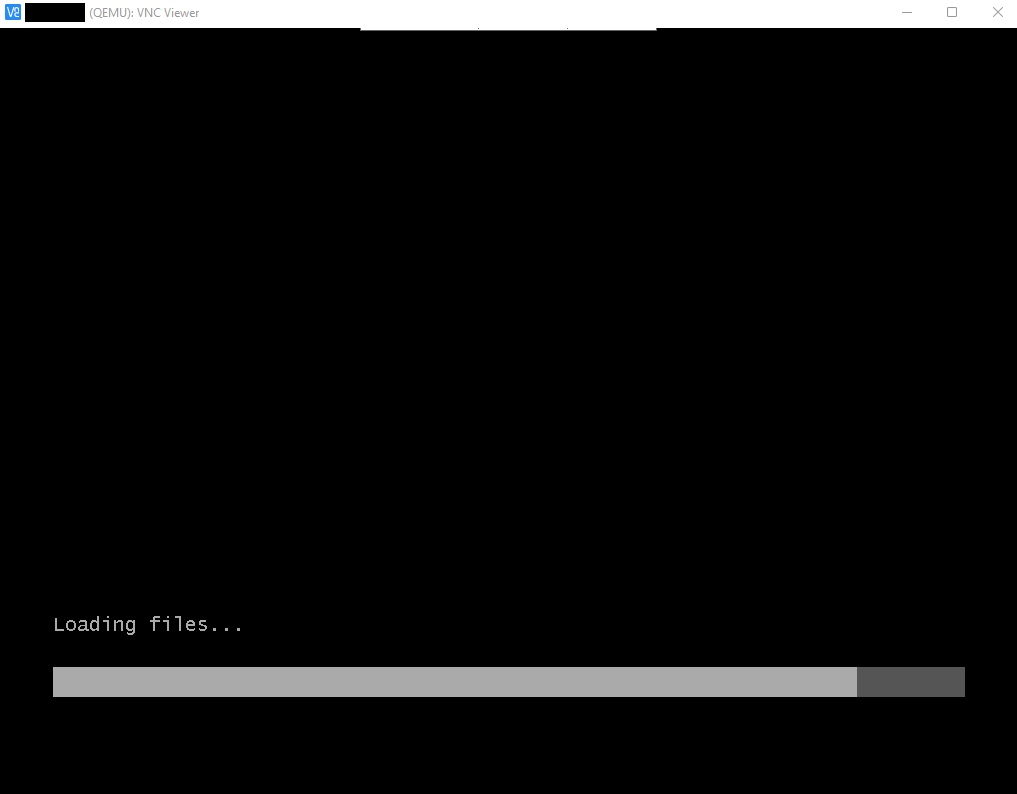
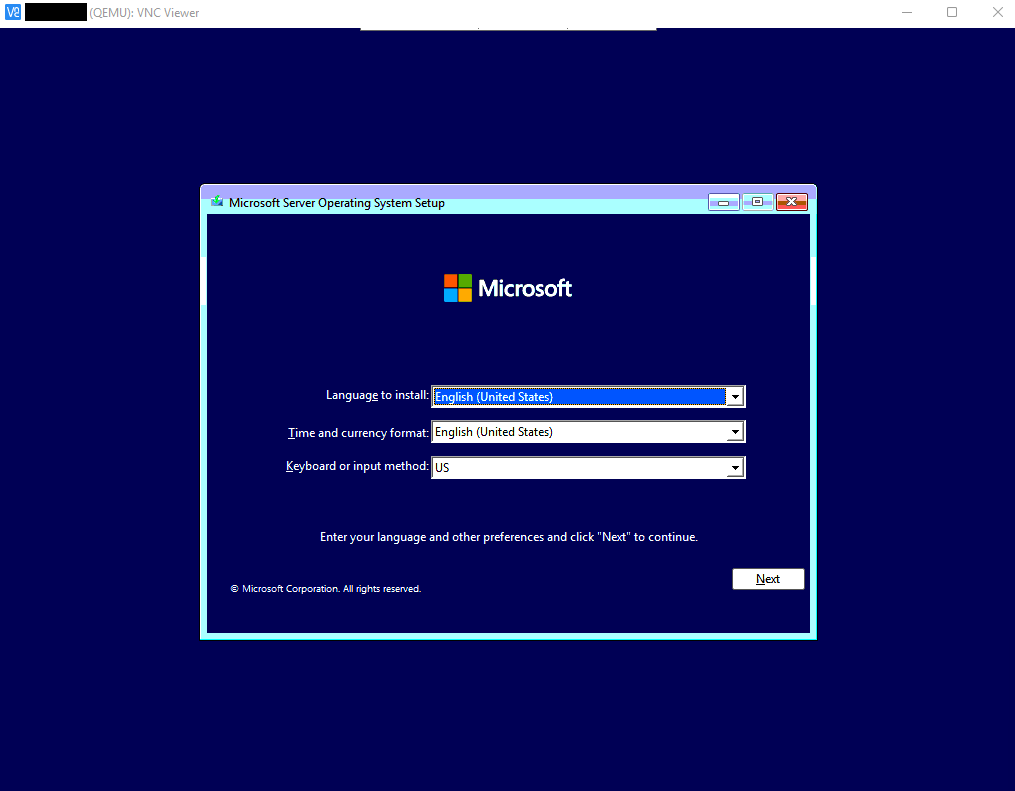
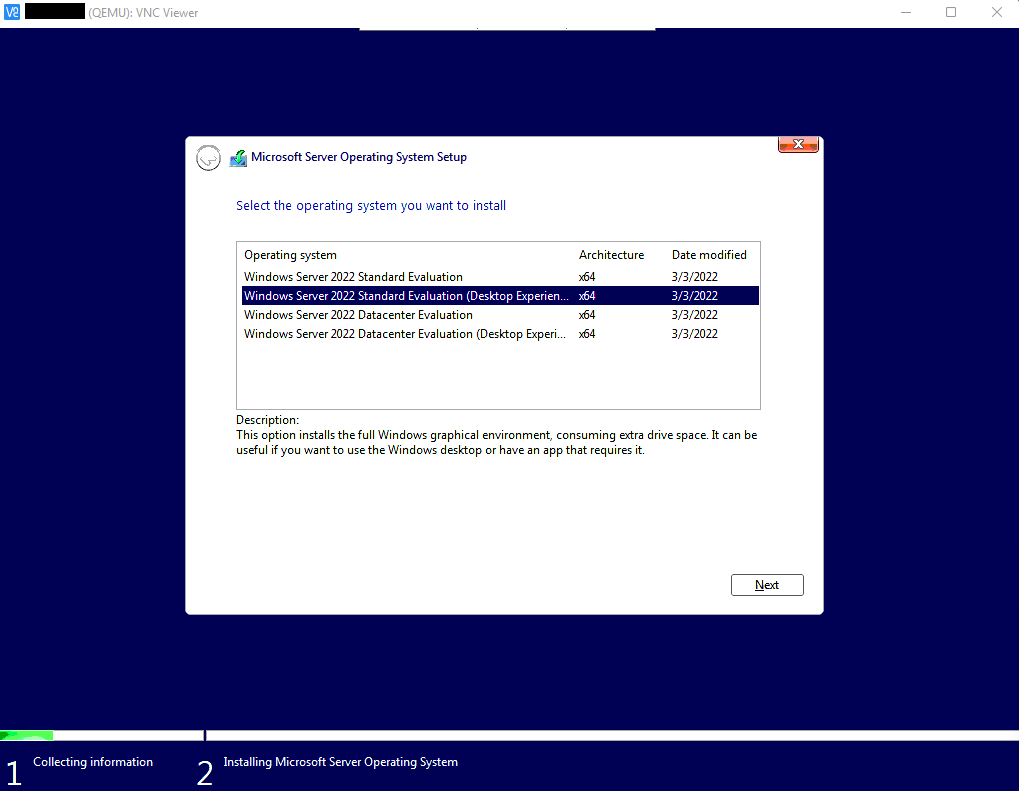
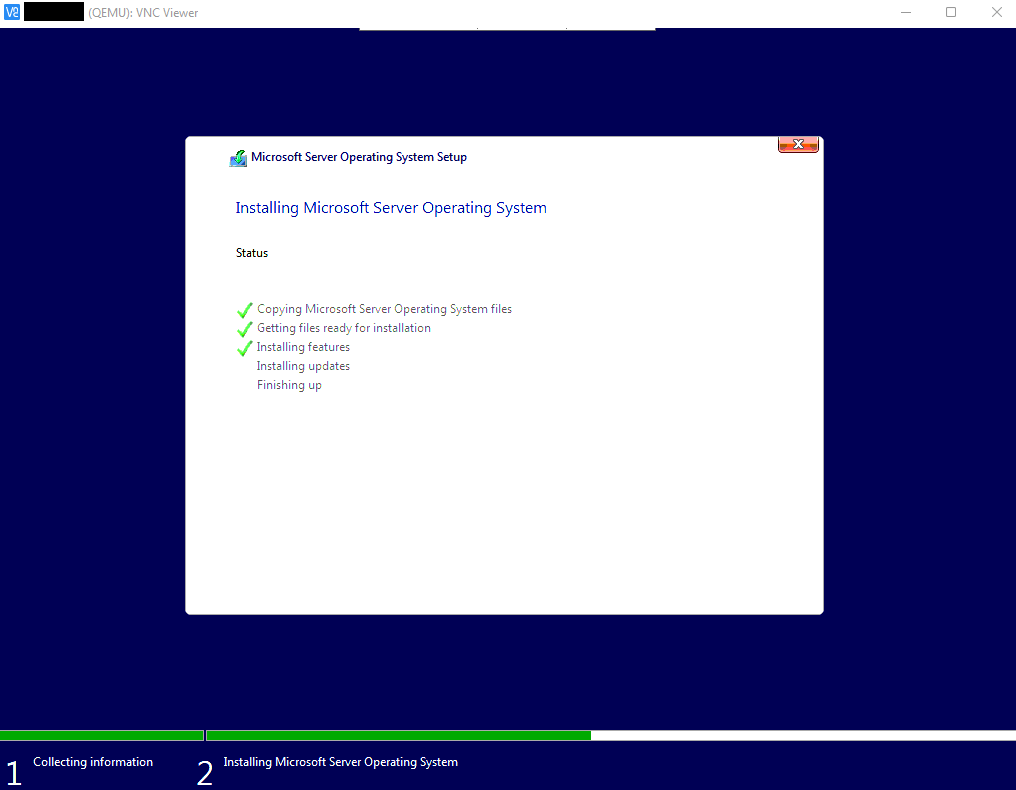
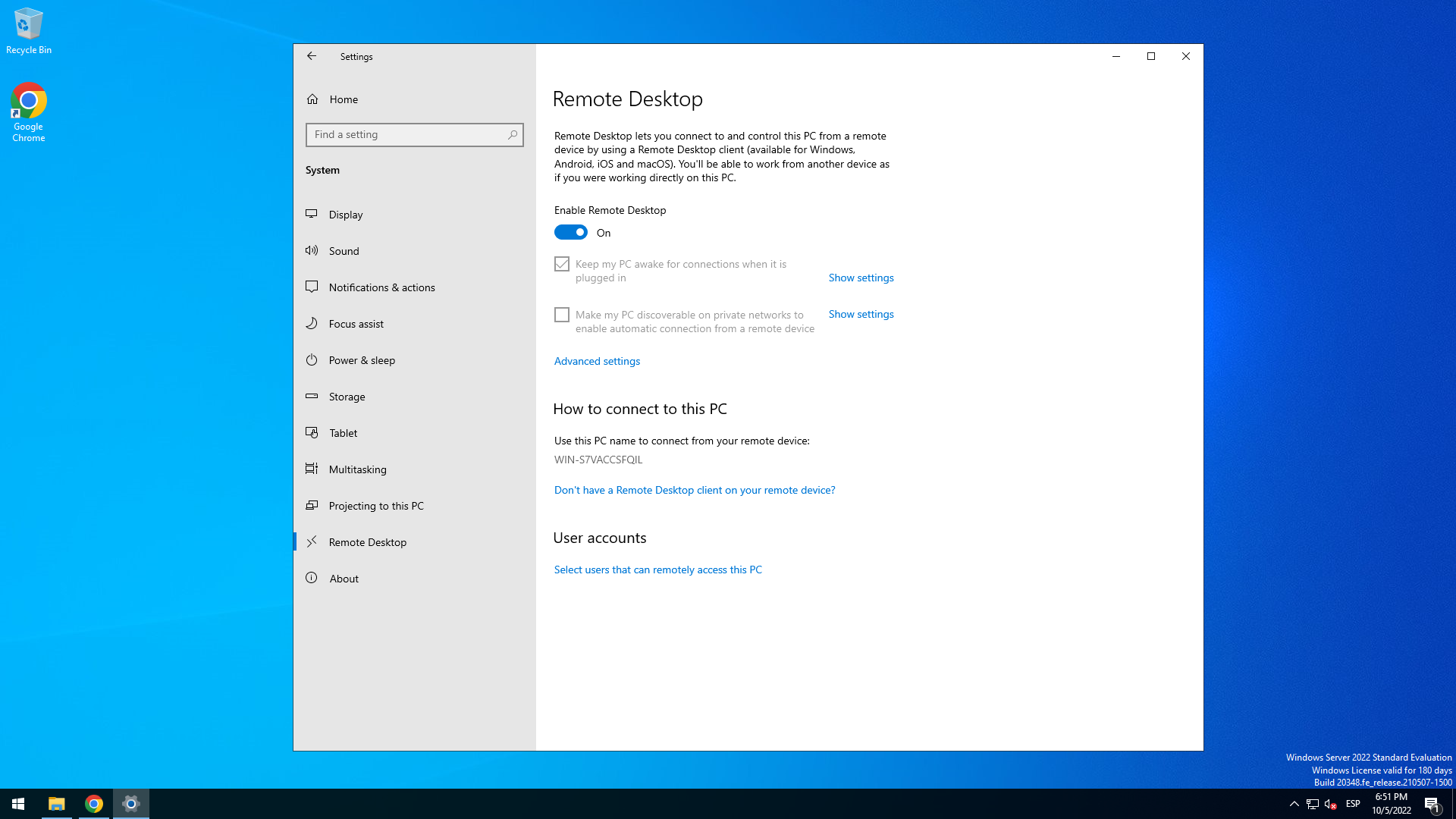
Enable RDP (System properties/Remote Access)
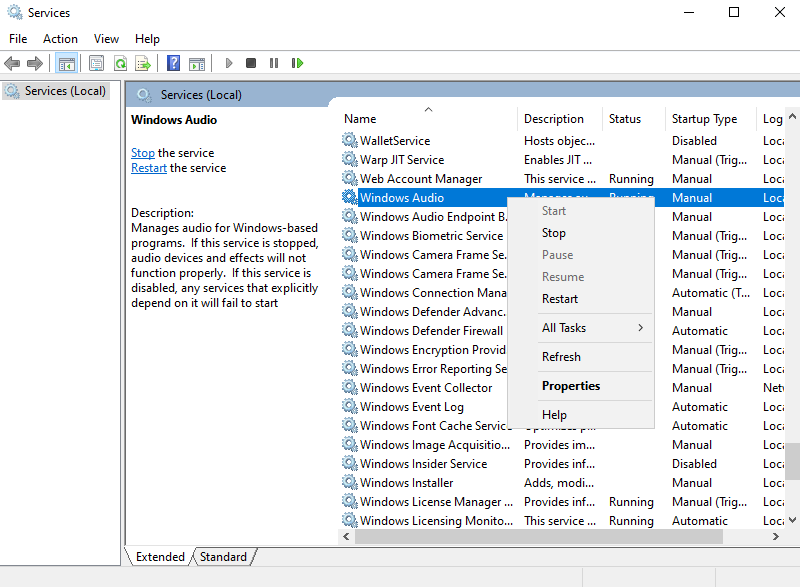
Enable Windows Sound: Open Services and Start Windows Audio Service
REBOOT SERVER IN NORMAL MODE TO HAVE ALL MEMORY RAM
SPEED TEST
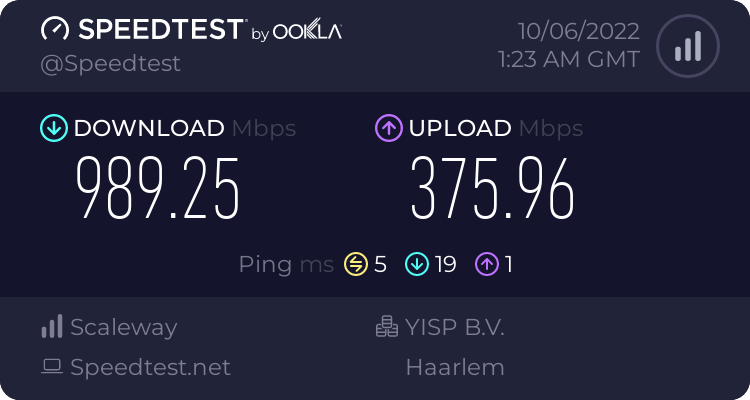
Enjoy!
REBOOT SERVER IN NORMAL MODE TO HAVE ALL MEMORY RAM
SPEED TEST
Enjoy!
lenuxfrance
Member
Hello
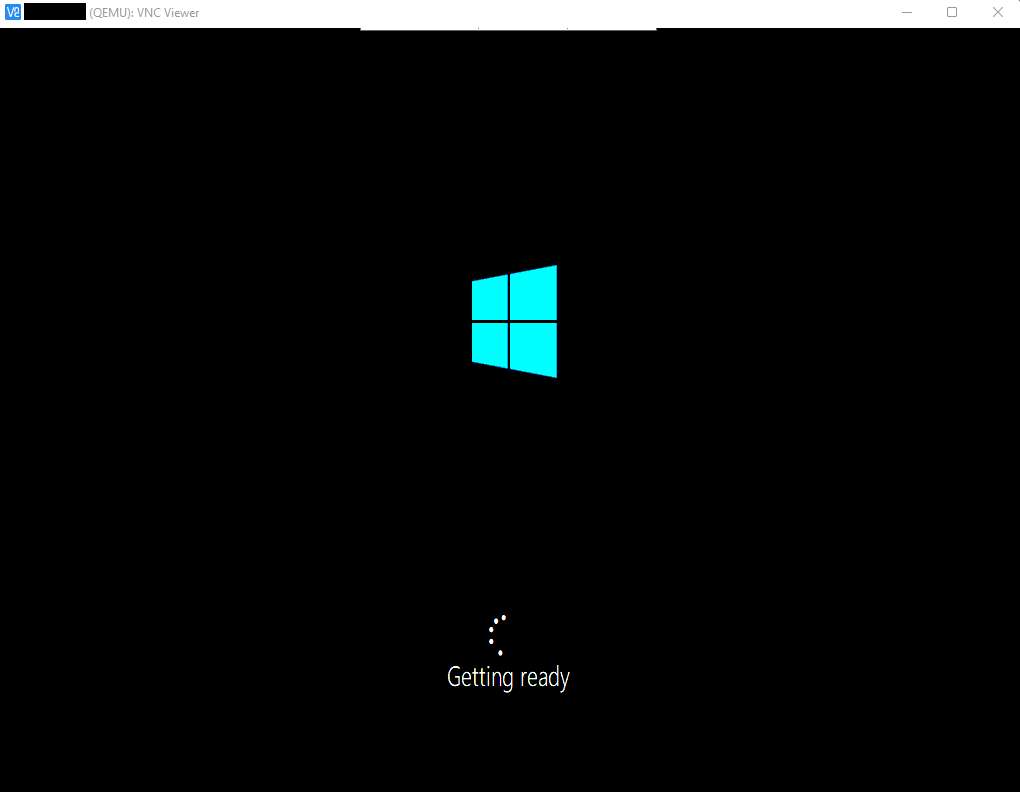
I can't keep Vnc open, it kills itself after 1 minute as soon as it appears on the Windows logo just after loading files.
I can't keep Vnc open, it kills itself after 1 minute as soon as it appears on the Windows logo just after loading files.
I have been doing a new tutorial, i will be posting maybe tomorrow, no need to use RAM memory in this new one, what configuration have your server?Hello
I can't keep Vnc open, it kills itself after 1 minute as soon as it appears on the Windows logo just after loading files.
lenuxfrance
Member
CPUJ'ai fait un nouveau tutoriel, je posterai peut-être demain, pas besoin d'utiliser de mémoire RAM dans ce nouveau, quelle configuration a votre serveur ?
Intel Atom C2350 - 1,7 GHz - 2 cœur(s)
RAM
4 Go - DDR3
STOCKAGE
1x 1 To (disque dur SATA)
BANDE PASSANTE
Illimité à 1 Gbps
Système d'exploitation
Ubuntu 18.04 LTS (Le Castor Bionique), 64 bits
Oneprovider
Post automatically merged:
I've already tried DD images on the kimsufi server with success.
oneprovider doesn't boot after install
Last edited:
This particular server has static IP and all ports blocked except 80 and 22, I am stuck right now with this problem, I was able to install Windows without problems but I can't start the remote session.CPU
Intel Atom C2350 - 1,7 GHz - 2 cœur(s)
RAM
4 Go - DDR3
STOCKAGE
1x 1 To (disque dur SATA)
BANDE PASSANTE
Illimité à 1 Gbps
Système d'exploitation
Ubuntu 18.04 LTS (Le Castor Bionique), 64 bits
Oneprovider
lenuxfrance
Member
Can you send me your new procedure by mp so that I can try it from my side please thank you.This particular server has static IP and all ports blocked except 80 and 22, I am stuck right now with this problem, I was able to install Windows without problems but I can't start the remote session.
I try https://blog.tanglu.me/dd/#scaleway
And I try https://zxqme.com/archives/108/ Not reboot
Post automatically merged:
HelloThis particular server has static IP and all ports blocked except 80 and 22, I am stuck right now with this problem, I was able to install Windows without problems but I can't start the remote session.
Your methods don't work and kill me every time with VLC
On Chinese sites, installation is fine, but rdp runs in a loop on connection security.
Last edited:

Please check here:does it work with oneprovider dedicated servers?

Hello WJ!
After many days of testing and learning, I managed to install Windows Server on my OVH VPS without KVM/iLO or IPMI and just 4GB of RAM, so here is my tutorial (theoretically it should work for all suppliers who provides a LINUX/UBUNTU RESCUE IMAGE)
NOTE: I couldn't find a tutorial on the whole internet that could manage to install windows like this, so I think it's the first one.
(I make customs ISO´s and .gz of Windows Server 2025 | 2022 | 2019 | 2016 | 2012R2 Standard with GUI + VirtIO & Intel Drivers. If you want install another version of...
After many days of testing and learning, I managed to install Windows Server on my OVH VPS without KVM/iLO or IPMI and just 4GB of RAM, so here is my tutorial (theoretically it should work for all suppliers who provides a LINUX/UBUNTU RESCUE IMAGE)
NOTE: I couldn't find a tutorial on the whole internet that could manage to install windows like this, so I think it's the first one.
(I make customs ISO´s and .gz of Windows Server 2025 | 2022 | 2019 | 2016 | 2012R2 Standard with GUI + VirtIO & Intel Drivers. If you want install another version of...
- myrlse
- 4gb ram ilo install ipmi kvm windwos server
- Replies: 10
- Forum: Tutorials and Guides - Archive

Or in my website: https://vpssh.xyz/
- Status
- Not open for further replies.