


Not possible to disable auto-encode, but if the codecs match, it will copy 1:1 from source.


Not possible to disable auto-encode, but if the codecs match, it will copy 1:1 from source.
sry, subtitles is not working now, plz check it
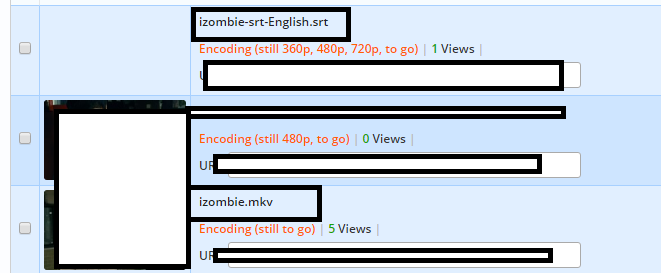
File name: izombie.mkv
Subtitles name: izombie-srt-English.srt
Subtitle still not showing up, how?
You will add those changes also to Playernaut ?
one of the most "Bogus" streaming hosts that claims the pro features, very disappointed
because izombie.mkv and izombie is not same name
You will add those changes also to Playernaut ?
playernaut will not updated at the moment.
I can't find how to move folder with video to an other folder !! is there a way to do it ?
I can't find how to move folder with video to an other folder !! is there a way to do it ?
First select files and then click "Add to" menu on the top left... Then click "Create a folder"
First select files and then click "Add to" menu on the top left... Then click "Create a folder"
i'm talking about how to move a folder not files, so i have X folder with files and i want to move that X folder to new one is it possible ?
i'm talking about how to move a folder not files, so i have X folder with files and i want to move that X folder to new one is it possible ?
this is something, that i code at the moment. So its not added yet