
Guest viewing is limited
- You have a limited number of page views remaining
- 8 guest views remaining
- Register now to remove this limitation
- Already a member? Click here to login
You are using an out of date browser. It may not display this or other websites correctly.
You should upgrade or use an alternative browser.
You should upgrade or use an alternative browser.


- Status
- Not open for further replies.
125 comments
Palooo 2009
Active Member
11/08/05 ...Old ^o)



[slide]http://shackimg.com/images/XsxRy.png[/slide]

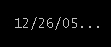


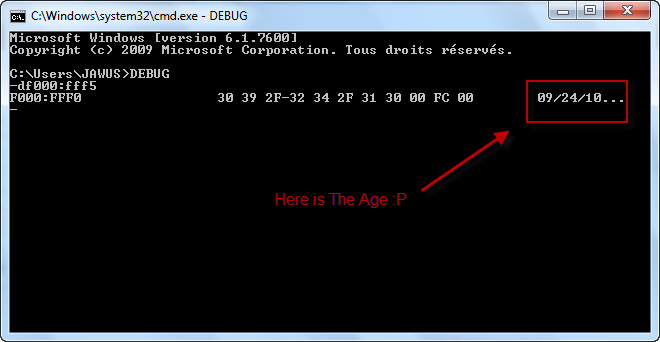
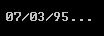
Same here and i am using 6.1 and this debug command is not working so i used msinfo32 command to know about my system date and here it is.
[SLIDE]http://img849.imageshack.us/img849/73/91771087.png[/SLIDE]
This is all about BIOS when it was last flashed. Because BIOS is the first thing in our computer which gets installed and can display the actual time and date.
[SLIDE]http://img849.imageshack.us/img849/73/91771087.png[/SLIDE]
This is all about BIOS when it was last flashed. Because BIOS is the first thing in our computer which gets installed and can display the actual time and date.

- Status
- Not open for further replies.
Trending
-
ORapidgator Discussion thread37,658 Replies Thread
-
uploaded.net - PPD (30 EUR) & PPS (60% inital sale /50% rebill)31,213 Replies Thread

-
X
 Keep2Share.cc - Trouble free file sharing! Wowzers! It’s super easy!11,959 Replies Thread
 -
 Doodstream unofficial discussion thread2,499 Replies Thread
-
W
 KatFile – Earn up to $100 PPD + 70% Sales/Rebills9,631 Replies Thread
Advertise on WJunction
Reach 1000's of webmasters, hosts & affiliates. Banner & sponsored-thread slots available.
Contact us