
Guest viewing is limited
- You have a limited number of page views remaining
- 7 guest views remaining
- Register now to remove this limitation
- Already a member? Click here to login
You are using an out of date browser. It may not display this or other websites correctly.
You should upgrade or use an alternative browser.
You should upgrade or use an alternative browser.
Streamup.cc Discussion
-
 Thread starter
Streamup
Thread starter
Streamup
- Start date
- 3,918 Replies
- 408,868 Views


3,918 comments

Sent John Bravo
Active Member
Streamup, check PM
Paid, thanks!
Post automatically merged:
Paid, thanks!
Last edited:


Slippery99
Active Member
Some videos buffering for example: 1670080
just as i checked server wasn't overloaded, this video each segment file was 12 MB, which is bad for some internet connectionSome videos buffering for example: 1670080
yesterday we added Re-Encode for H.264+AAC, enable that so it compress the size, don't worry quality shouldn't be lost

@joker159, yep, slow encoding again. Someone's uploading too many videos and GB to streamup.
Yes we enabled it for whole database, but disabled it for some users now, this will takes a few minutes for us to get it fixed.It's probably because now it even encodes H.264 files
If some of you see the Encode feature Disabled i would recommend enabling it if you want smooth playback.


Slippery99
Active Member
It mean this video wasn't caught by our encoding servers due to the outage. all videos which was not codec H.264 already encodedUploaded videos with ID: 1680056, 1679983, 1679942 showing error.
Post automatically merged:
They will take effectnew vids "waiting" stuck
Slippery99
Active Member
1684405, 1683633 Status Waiting

Please give it time, the system now has Redundancy built-in, if something going wrong, it's probably trying to save overload or outage.
If the video is really important to publish now, you can simply disable Re-Encode feature, it will be encoded instant.
If the video is really important to publish now, you can simply disable Re-Encode feature, it will be encoded instant.
where is this option to turn it off, because I don't see it?Please give it time, the system now has Redundancy built-in, if something going wrong, it's probably trying to save overload or outage.
If the video is really important to publish now, you can simply disable Re-Encode feature, it will be encoded instant.
Settings > Account settings > Encodewhere is this option to turn it off, because I don't see it?
Settings > Account settings > Encode
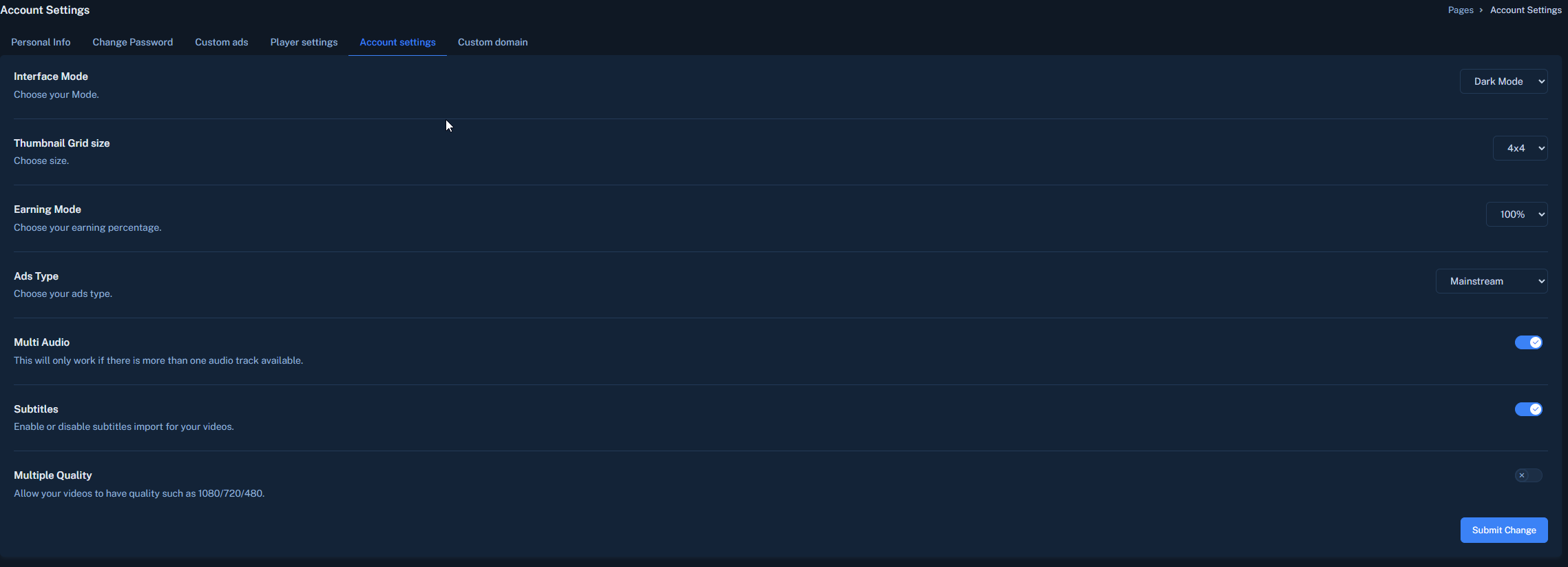
I only have the multi-quality option but it is for premium
About the author
Trending
-
CRapidgator Discussion thread37,717 Replies Thread
-
A
 KatFile – Earn up to $100 PPD + 50% Sales/Rebills9,860 Replies Thread
 -
uploaded.net - PPD (30 EUR) & PPS (60% inital sale /50% rebill)31,213 Replies Thread

-
I
 FileSonic.com – $17PPS, $35/1000 Downloads – Make Your Life Easier - Go with FS!31,142 Replies Thread
 -
 Keep2Share.cc - Trouble free file sharing! Wowzers! It’s super easy!12,033 Replies Thread
Advertise on WJunction
Reach 1000's of webmasters, hosts & affiliates. Banner & sponsored-thread slots available.
Contact us