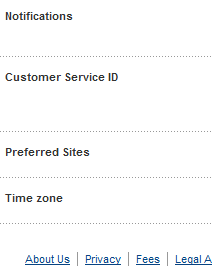
Step 1: Check your paypal account with the Log info
[SLIDE]https://lh6.googleusercontent.com/-QjBL-00cptU/Ttb4QnV-auI/AAAAAAAAAGo/7At6QESD5UM/s640/paypal_k3lvinmitnick_sec1.png[/SLIDE]
Step 2: Change your password, recovery questions
[SLIDE]https://lh3.googleusercontent.com/-mC3wl5ueIZU/Ttb4QkRR_-I/AAAAAAAAAGw/ZVx4dcohync/s640/paypal_k3lvinmitnick_sec2.png[/SLIDE]
Step 3: Add more Recovery options
[SLIDE]https://lh6.googleusercontent.com/-zzsgKB5L0ts/Ttb4Qq9uWBI/AAAAAAAAAGs/g_p82MmAvvg/s640/paypal_k3lvinmitnick_sec3.png[/SLIDE]
Step 4: Must check that the Original domain is Paypal.com. To prevent a phishing email, you can click to see the "Show original" (Gmail), View Full Header (Yahoo)
[SLIDE]https://lh6.googleusercontent.com/-V9KqTdzI1Hg/Ttb-vC_PRTI/AAAAAAAAC3s/LUmPkAtFQww/s802/paypal_k3lvinmitnick_sec4.png[/SLIDE]
View Full Header (Yahoo)
[SLIDE]https://lh6.googleusercontent.com/-PkE3Z3_onlk/TtcA83NoUsI/AAAAAAAAC4E/YaL1fiKsklA/s697/paypal_k3lvinmitnick_sec5.png[/SLIDE]
Step 5: Add and verify more email addresses
5.1. Profile > Add / Edit Email > Add
[SLIDE]https://lh4.googleusercontent.com/-p-K56kizFmM/TtiDsBNCnLI/AAAAAAAAC40/QdmdAbhuOsc/s400/paypal_k3lvinmitnick_sec6_1.png[/SLIDE]
5.2. Add some email addresses. Maximum: 07 email addresses
[SLIDE]https://lh5.googleusercontent.com/-5nurYcDkHe4/TtiDr9Qs1YI/AAAAAAAAC5E/T3D5VKzHP18/s591/paypal_k3lvinmitnick_sec6_2.png[/SLIDE]
5.3. Check your email to comfirm
[SLIDE]https://lh4.googleusercontent.com/-F4wYZwMpPu8/TtiDrW2gQ4I/AAAAAAAAC4o/z7kF0lgcoRA/s720/paypal_k3lvinmitnick_sec6_3.png[/SLIDE]
5.4. Enter password to confirm
[SLIDE]https://lh4.googleusercontent.com/-Vg6_8yqY_po/TtiDraq-3hI/AAAAAAAAC4s/nGP4g65covc/s543/paypal_k3lvinmitnick_sec6_4.png[/SLIDE]
5.5. Final
[SLIDE]https://lh4.googleusercontent.com/-Y-IA50qYcGE/TtiDrengwhI/AAAAAAAAC4w/DJEAMDwMluA/s482/paypal_k3lvinmitnick_sec6_5.png[/SLIDE]
[SLIDE]https://lh6.googleusercontent.com/-QjBL-00cptU/Ttb4QnV-auI/AAAAAAAAAGo/7At6QESD5UM/s640/paypal_k3lvinmitnick_sec1.png[/SLIDE]
Step 2: Change your password, recovery questions
[SLIDE]https://lh3.googleusercontent.com/-mC3wl5ueIZU/Ttb4QkRR_-I/AAAAAAAAAGw/ZVx4dcohync/s640/paypal_k3lvinmitnick_sec2.png[/SLIDE]
Step 3: Add more Recovery options
[SLIDE]https://lh6.googleusercontent.com/-zzsgKB5L0ts/Ttb4Qq9uWBI/AAAAAAAAAGs/g_p82MmAvvg/s640/paypal_k3lvinmitnick_sec3.png[/SLIDE]
Step 4: Must check that the Original domain is Paypal.com. To prevent a phishing email, you can click to see the "Show original" (Gmail), View Full Header (Yahoo)
[SLIDE]https://lh6.googleusercontent.com/-V9KqTdzI1Hg/Ttb-vC_PRTI/AAAAAAAAC3s/LUmPkAtFQww/s802/paypal_k3lvinmitnick_sec4.png[/SLIDE]
View Full Header (Yahoo)
[SLIDE]https://lh6.googleusercontent.com/-PkE3Z3_onlk/TtcA83NoUsI/AAAAAAAAC4E/YaL1fiKsklA/s697/paypal_k3lvinmitnick_sec5.png[/SLIDE]
Step 5: Add and verify more email addresses
5.1. Profile > Add / Edit Email > Add
[SLIDE]https://lh4.googleusercontent.com/-p-K56kizFmM/TtiDsBNCnLI/AAAAAAAAC40/QdmdAbhuOsc/s400/paypal_k3lvinmitnick_sec6_1.png[/SLIDE]
5.2. Add some email addresses. Maximum: 07 email addresses
[SLIDE]https://lh5.googleusercontent.com/-5nurYcDkHe4/TtiDr9Qs1YI/AAAAAAAAC5E/T3D5VKzHP18/s591/paypal_k3lvinmitnick_sec6_2.png[/SLIDE]
5.3. Check your email to comfirm
[SLIDE]https://lh4.googleusercontent.com/-F4wYZwMpPu8/TtiDrW2gQ4I/AAAAAAAAC4o/z7kF0lgcoRA/s720/paypal_k3lvinmitnick_sec6_3.png[/SLIDE]
5.4. Enter password to confirm
[SLIDE]https://lh4.googleusercontent.com/-Vg6_8yqY_po/TtiDraq-3hI/AAAAAAAAC4s/nGP4g65covc/s543/paypal_k3lvinmitnick_sec6_4.png[/SLIDE]
5.5. Final
[SLIDE]https://lh4.googleusercontent.com/-Y-IA50qYcGE/TtiDrengwhI/AAAAAAAAC4w/DJEAMDwMluA/s482/paypal_k3lvinmitnick_sec6_5.png[/SLIDE]