







Kloxo-MR is a fork of original LXCenter’s kloxo project and its developed by Mustafa Ramadan, hence the “MR”. Kloxo MR not only fixes the bugs of Kloxo but it has many additional features like the ability to switch to Nginx server. Its nice to see kloxo getting some fixes and going forward.
Specifications:
Here’s how to install Kloxo-MR, Deploy Centos 5,6 32bit or 64bit version on your server and follow these steps,


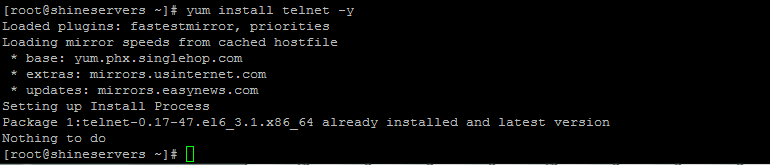

Downloading The Repo


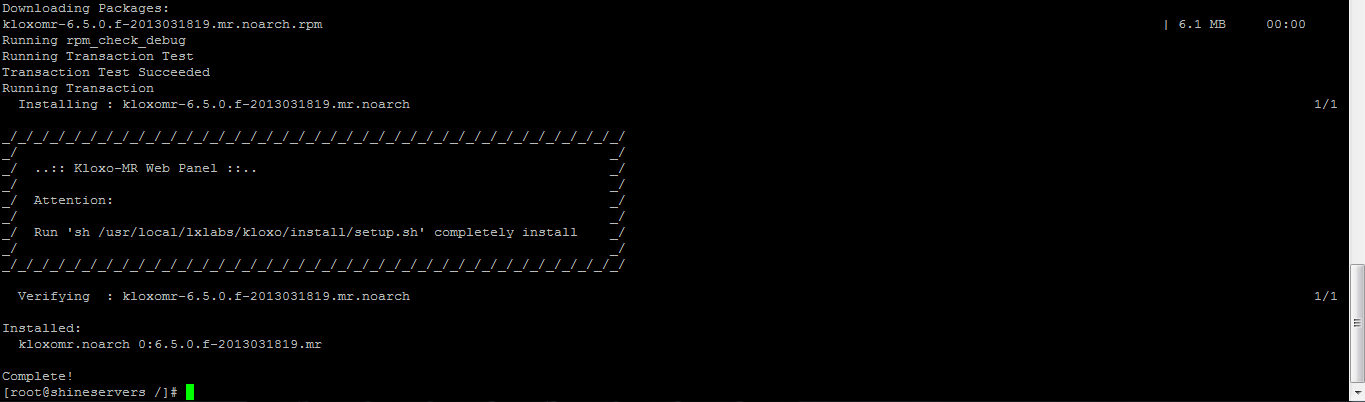
Now run the installer as it says
sh /usr/local/lxlabs/kloxo/install/setup.sh

It will ask you whether you want to install it as slave or master. Choose the option 1 (Master) and click enter. That’s it. Reboot the server after installation completes.
Visit youip:7778 on your web browser to view the control panel and default user name and password is “admin”. Kloxo-MR has a support forum here and you can get feedback to your problems from the developer and the community on there.

Let me know if anyone else is facing any issues while installing the Kloxo .
Anyone of you can contact me using PM or Email Me
--Bharat
Specifications:
- Supported OS’s : Redhat/CentOS 5 and 6 (32bit and 64bit) or their variants
- Billing: AWBS, WHMCS, HostBill, TheHostingTool and AccountLab Plus
- Web server: Nginx, Nginx-Proxy and Lighttpd-proxy; beside Httpd and Lighttpd (in progress: Varnish, Hiawata, ATS and Httpd 2.4)
- Php: Dual-php with php 5.3/5.4 as primary and php 5.2 as secondary (in progress: multiple-php)
- PHP-type for Apache: php-fpm_worker/_event and fcgid_worker/_event; beside mod_php/_ruid2/_itk and suphp/_worker/_event
- Mail server: qmail-toaster instead special qmail (in progress: change from courier-imap to dovecot as imap/pop3)
- Database: MySQL or MariaDB
- Webmail: Afterlogic Webmail Lite, T-Dah and Squirrelmail; beside Roundcube and Horde
- FTP server: Pure-ftpd
- DNS Server: Bind, Djbdns and Powerdns (in progress)
- Addons: ClamAV, Spamassassin/Bogofilter/Spamdyke and RKHunter
- Fixed many bugs of Kloxo Official (including security issues)
- And many more!
Here’s how to install Kloxo-MR, Deploy Centos 5,6 32bit or 64bit version on your server and follow these steps,
Code:
cd /
yum update -y
Code:
yum install yum-utils yum-priorities vim-minimal subversion curl zip unzip -y
Code:
yum install telnet -y
Code:
setenforce 0
echo ‘SELINUX=disabled’ > /etc/selinux/config
Code:
cd /etc/yum.repos.d/Downloading The Repo
Code:
wget https://github.com/mustafaramadhan/kloxo/raw/release/kloxo-mr.repo --no-check-certificate
Code:
cd /
yum install kloxomr
Now run the installer as it says
sh /usr/local/lxlabs/kloxo/install/setup.sh
It will ask you whether you want to install it as slave or master. Choose the option 1 (Master) and click enter. That’s it. Reboot the server after installation completes.
Code:
rebootVisit youip:7778 on your web browser to view the control panel and default user name and password is “admin”. Kloxo-MR has a support forum here and you can get feedback to your problems from the developer and the community on there.
Let me know if anyone else is facing any issues while installing the Kloxo .
Anyone of you can contact me using PM or Email Me
--Bharat
Last edited:


 Corrected in Main thread as well .