
Guest viewing limit reached
- You have reached the maximum number of guest views allowed
- Please register below to remove this limitation
- Already a member? Click here to login
You are using an out of date browser. It may not display this or other websites correctly.
You should upgrade or use an alternative browser.
You should upgrade or use an alternative browser.


- Status
- Not open for further replies.
15 comments

Your header BG is too big, simply chop off the left and right part.
http://www.power302.com/images/header_gra.png
http://www.power302.com/images/header_gra.png

I think he means this:

The way the black background in the header does not stretch the full screen. To start with you need to stop it being 1 big image, slice it down into 1 small strip and within your CSS just multiply it right across, this way you will be able to suit all screen resolutions. Also if you want to keep the little light shadow behind the actual logo image then you will need to just edit the logo image its self and make it the correct height to fit the complete banner header. if you need any more help...Just ask.
The way the black background in the header does not stretch the full screen. To start with you need to stop it being 1 big image, slice it down into 1 small strip and within your CSS just multiply it right across, this way you will be able to suit all screen resolutions. Also if you want to keep the little light shadow behind the actual logo image then you will need to just edit the logo image its self and make it the correct height to fit the complete banner header. if you need any more help...Just ask.
i just wan to fix the header in entire page beacuse i dun like right and left gap
---------- Post added at 05:36 AM ---------- Previous post was at 05:21 AM ----------
yes i wna to fit with body
---------- Post added at 05:36 AM ---------- Previous post was at 05:21 AM ----------
yes i wna to fit with body
Do you want to make it fit with your body?
Or increase the body size?
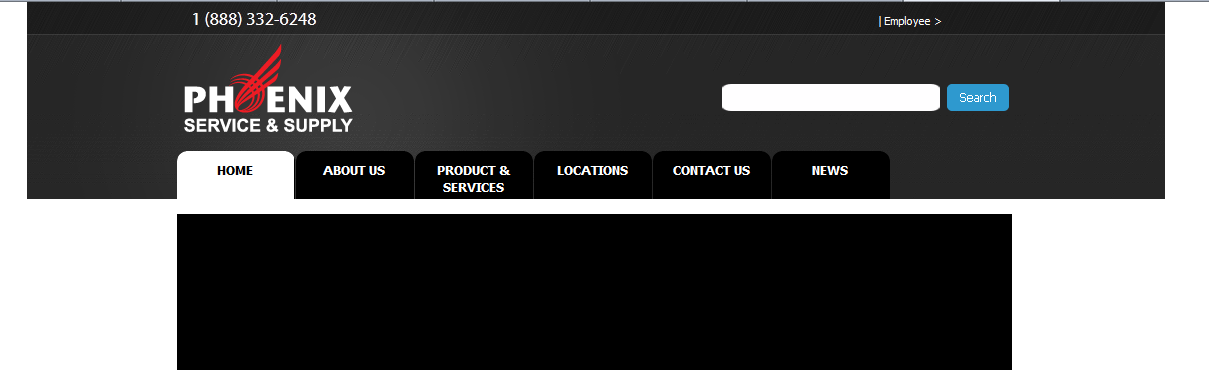
just give a margin-left of 150 and change the width to 835 for both header bar and nav header. Also then just change the margins of the tabs,logo and upper text and you are done. If you want any help then PM me, ill help you 
Update: Fixed his template over PM.
Update: Fixed his template over PM.
Last edited:
Did you bother to read the replies? anyways, is this how you want it?
http://i.imgur.com/L1BIi.png
or you want to increase the bottom content to fit the header?
http://i.imgur.com/L1BIi.png
or you want to increase the bottom content to fit the header?


MsJacquiiC
Active Member
Make the following css changes below will give the following result:
[slide]http://imageup.jacquiidesigns.com/di-NDA3.png[/slide]
HTH
J.
[slide]http://imageup.jacquiidesigns.com/di-NDA3.png[/slide]
Code:
#navheader ==> margin: 0px auto; width: 835px;
#header_bar ==> width: 100%;
#logo ==> padding: 10px 0px 0px 10px;
.nava ul ==> margin: 14px 0px 0px 14px;
#main_Search ==> padding: 50px 0px 0px 420px;
#buttn ==> 0px 60px 0px 0px;
HTH
J.
- Status
- Not open for further replies.
Trending
-
Rapidgator Discussion thread37,654 Replies Thread

-
 Doodstream unofficial discussion thread2,473 Replies Thread
-
 Playmate.to | $50/10k | HLS/MP4 | Super Fast Streaming166 Replies Thread
 -
V
 Vidara.so | $40/10000 views | Daily Payouts | Custom Ads | APIs2,604 Replies Thread
 -
S
 KatFile – Earn up to $100 PPD + 70% Sales/Rebills9,624 Replies Thread
Advertise on WJunction
Reach 1000's of webmasters, hosts & affiliates. Banner & sponsored-thread slots available.
Contact us