




Creating a personal or a professional blog is no more a difficult task. Sign up for a free SharePoint site with Cloudappsportal.com and enjoy the best blogging features and functionality free of cost. Here is a quick go through on how to quickly create a blog in a SharePoint site.
What is SharePoint Online: SharePoint Online is a cloud-based service that helps organizations share and collaborate with colleagues, partners, and customers. With SharePoint Online, you can access internal sites, documents, and other information from anywhere—at the office, at home, or from a mobile device.
Creating a Blog Site within SharePoint:
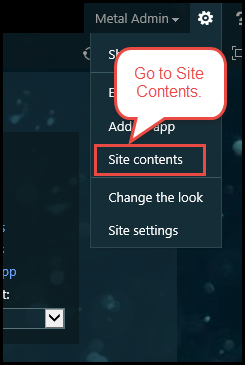
1) Click on Site Contents from the Settings gear.

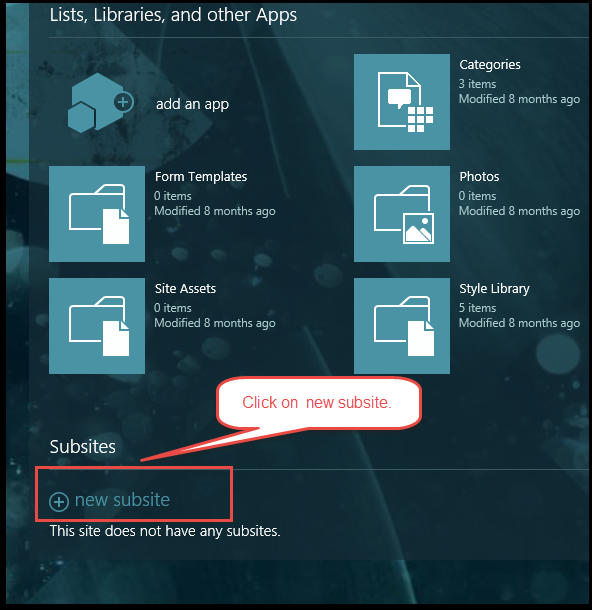
2) Click on new subsite.


6) And your blog is created.

Regards,
Edwin | www.o365cloudexperts.com
What is SharePoint Online: SharePoint Online is a cloud-based service that helps organizations share and collaborate with colleagues, partners, and customers. With SharePoint Online, you can access internal sites, documents, and other information from anywhere—at the office, at home, or from a mobile device.
Creating a Blog Site within SharePoint:
1) Click on Site Contents from the Settings gear.
2) Click on new subsite.
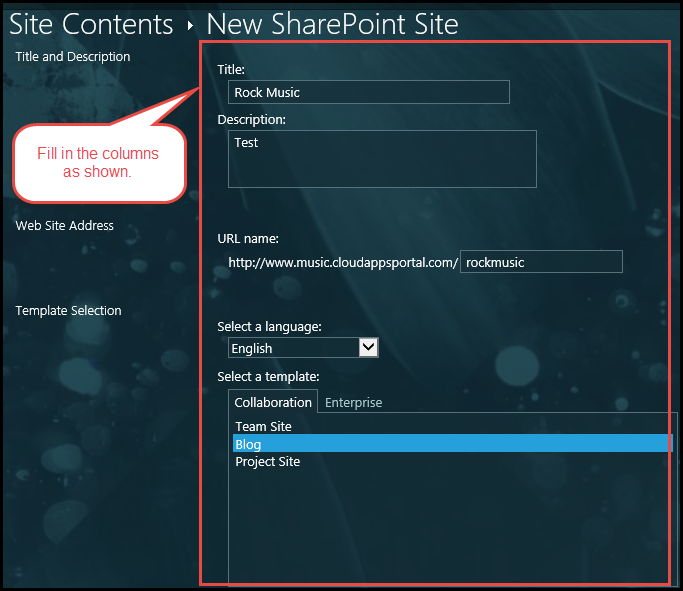
- 3) Fill in the columns such as Title, Description, URL, language and template of your new subsite the same way as you would do while creating a new site.
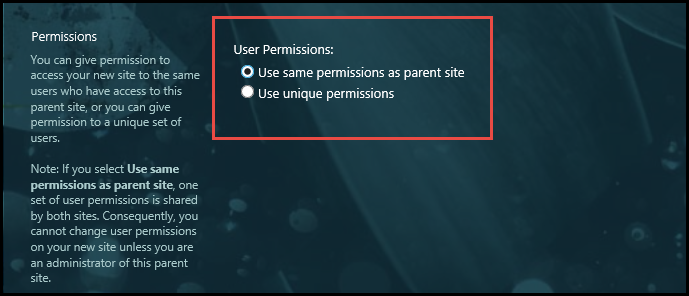
- 4)If you want to use the same user and content permissions as the parent site, select Use same permissions as parent site button. If you want this subsite to have another permissions, click on Use unique permissions.
- 5) Check the Yes box if you wish to show up the blog in the Quick Launch or top link bar. Otherwise check the No box.
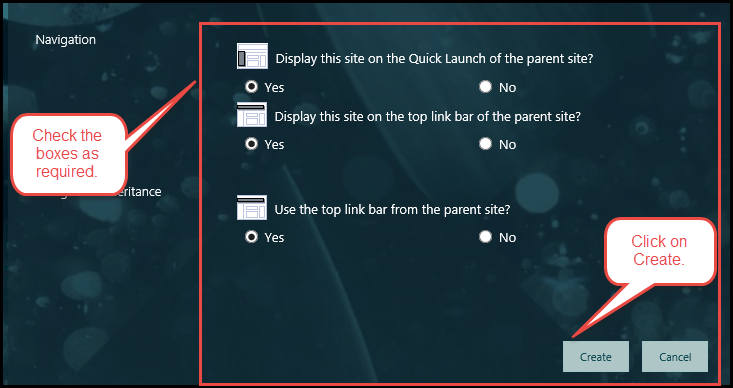
6) And your blog is created.

Regards,
Edwin | www.o365cloudexperts.com
Last edited: